How to Tell if Art Is AI Generated: A 2026 Guide
Table of Contents
Last Updated: October 9, 2026
Why Spotting AI-Generated Art Matters for Art Collectors
AI-generated images flood online galleries and auction sites daily. Learning how to tell if art is ai generated protects your investment and supports authentic artists.
At Art By Jd, we understand why collectors care about authenticity. When you invest in original watercolor paintings, you're buying the artist's hand, technique, and story.
The stakes are real.
This guide covers practical detection methods: visual anomalies that signal AI creation, metadata examination, and a step-by-step process to evaluate any piece with confidence.
Visual Red Flags: Signs of AI Generated Images
AI-generated images share common tells. Human artists create with intention and physical constraints; AI models generate from statistical patterns in training data, and those patterns leave traces.
Anatomical Inconsistencies
Human hands have five fingers, eyes sit symmetrically, and teeth line up in rows. AI models struggle with these constraints.
Count the fingers and check proportions. AI often generates extra fingers, missing joints, or impossible angles.
Eyes should match in size and position, noses centered, mouths aligned with the jaw. Asymmetrical features suggest algorithmic generation, and teeth frequently appear blurred or misplaced.
Limbs should connect properly to joints and muscles follow anatomical logic. Impossible positions or proportions indicate synthetic media.
Lighting and Shadow Inconsistencies
Light travels in straight lines. Shadows follow consistent logic based on a single light source. AI models often violate these rules.
Shadows should fall in one direction; multiple conflicting shadows suggest AI generation. The light source should create consistent highlights and darks across the image.
Reflections should make sense, and shiny surfaces should show light differently than matte ones. AI frequently creates lighting that defies physics, like shadows on the lit side of a face.
Glass, water, and fabric should transmit light realistically. AI often renders these materials incorrectly, creating artifacts that reveal synthetic origin.
Background and Texture Irregularities
Backgrounds in AI art often contain impossible details: branches that don't connect, misaligned windows, and garbled text.
Textures should be consistent, bricks should line up, and leaves should follow natural patterns. AI struggles with repetitive textures, often creating visual noise or pixelation.
AI models frequently generate illegible text or distorted logos. If you can see writing, try reading it; gibberish indicates algorithmic generation.
Fabric should show consistent weave patterns, wood grain should follow natural logic, and skin texture should be consistent. Smooth, plastic-looking textures often signal AI creation.
Symmetry and Geometric Perfection
Human artists embrace imperfection. Faces aren't perfectly symmetrical. Objects aren't geometrically flawless. AI models tend toward artificial precision.
Compare the left and right sides of a face. Slight asymmetry is natural; perfect mirror symmetry is suspicious.
Circles should have minor irregularities, lines shouldn't be perfectly straight, and patterns shouldn't be mathematically perfect. Over-precision suggests diffusion model rendering rather than human creation.
Flowers in a bouquet should vary, and leaves should have different shapes and orientations. Identical repetition or too-perfect patterns indicate algorithmic generation.
Using AI Art Detection Tools
Technology provides one verification layer, but only if you understand what these tools measure and where they fail. AI detection software analyzes pixel-level patterns invisible to human eyes: noise distributions, frequency-domain artifacts, compression signatures, and statistical anomalies.
kat 'n chat
How Detection Tools Actually Work
Most detectors fall into three categories, each with different strengths and blind spots.
Classifier-based detectors (like Hive Moderation and Illuminarty) are trained on millions of labeled human and AI images and output a probability score.
Frequency-domain detectors examine the image's Fourier transform. Diffusion models produce a characteristic spectral signature: a subtle grid-like pattern in high-frequency noise that cameras don't generate.
Provenance and watermark detectors look for embedded signals. Some AI platforms (like OpenAI's DALL-E) embed invisible watermarks or C2PA metadata, readable via the Content Authenticity Initiative's Verify.
Named Tools and What They Actually Deliver
Pro Tip No single detector is reliable enough to be the sole basis for a judgment. Treat every result as one data point among many.
Hive Moderation offers a free detector returning a confidence percentage. It performs well on obvious AI outputs but produces false positives on heavily edited digital paintings and false negatives on upscaled or filtered AI images.
Illuminarty provides an overall AI probability plus a breakdown by generative model family, sometimes distinguishing GAN-based from diffusion-based outputs.
Optic AI or Not is another free option returning a verdict with a confidence score. It's fast but, like all classifiers, degrades on compressed social media images.
Content Credentials (Verify) from the Content Authenticity Initiative reads C2PA provenance data. If an image was created with a C2PA-supporting tool (Adobe Firefly, some cameras), you can see a verifiable history. Missing credentials aren't proof of AI generation, but you can't verify human origin through this channel.
The Accuracy Problem
Detection tools are in an arms race with generative models. Every new release reduces existing detectors' accuracy: a tool that caught 90% of Stable Diffusion 1.5 outputs may catch far fewer from newer models or upscaled outputs.
Compression is the biggest enemy. JPEG compression, social media re-encoding, and screenshotting destroy the high-frequency artifacts detectors rely on. An AI image posted to Instagram and downloaded is far harder to detect than the original file.
False positives are a real harm. Human digital artists using Photoshop, Procreate, or Blender can trigger AI detectors, especially with certain filters or heavy post-processing.
How to Use Detection Tools Properly
Run suspicious images through at least two tools from different categories. A classifier plus a frequency-domain tool gives complementary signals; if both flag the image, that's stronger evidence than either alone.
Check for Content Credentials first. Provenance data showing a camera or known human workflow is meaningful evidence; if absent, note that and move on.
Never treat a detector result as final proof. Use it alongside visual analysis, metadata inspection, and documentation requests.
Watch Out A detector saying "likely AI" does not mean the image is AI-generated. False positives happen, especially with digital art. Always corroborate with other methods before making an accusation or purchase decision.
How to Verify Original Watercolor Paintings
Watercolor paintings have physical properties digital images lack, and examining them reveals authenticity. For digital files, metadata provides a technical layer of proof most guides ignore.
Examine Brushwork and Texture
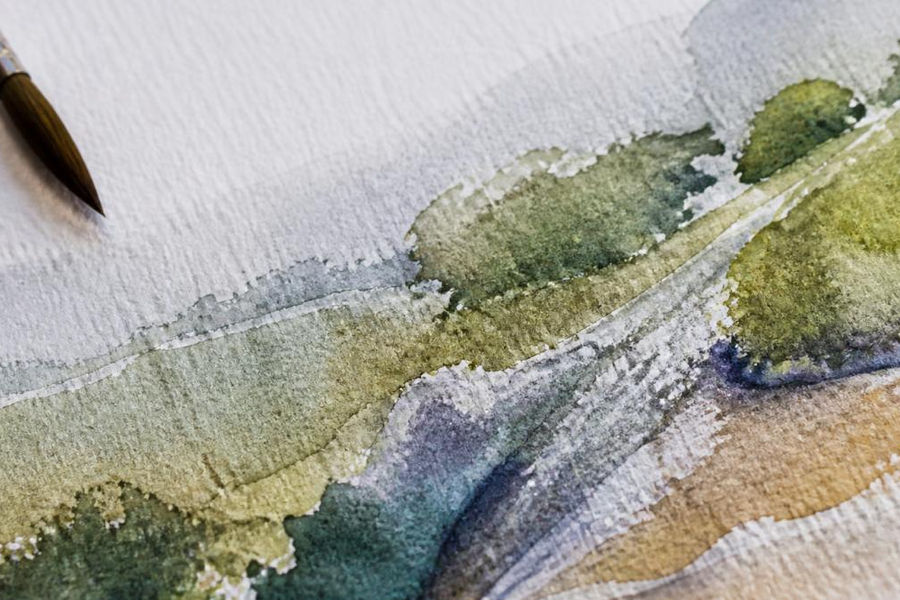
Original watercolor paintings show visible brushstrokes. Brush direction, pressure, and technique create unique patterns impossible to replicate perfectly.
Run your fingers across the surface if possible. Real watercolor has texture: paper grain, paint buildup, and brushstroke edges. Reproductions feel smooth and uniform.
In wet-on-wet passages, edges should be soft and organic, with natural color mixing and granulation.
Hand-painted edges show natural variation, not perfectly clean lines.
Watercolor builds through transparent layers, so you should see colors underneath showing through lighter washes. Flat color fields without visible layering indicate digital creation.
Check Metadata and EXIF Data: The Technical Layer Most Guides Miss
Digital files contain hidden information.
How to read EXIF data:
On Windows: Right-click the file, select "Properties," then the "Details" tab.
On Mac: Right-click the file, select "Get Info," then expand "More Info." Or open in Preview and press Command+I.
On mobile: Use a free app like Exif Viewer or Metapho to see the same fields.
What to look for:
Software tags are a red flag:
Check the "Software" field in EXIF.
File modification dates:
Check "Date Modified" and "Date Created." These should match the claimed creation timeline.
C2PA and Content Credentials:
Some newer cameras and editing tools embed C2PA provenance data, checkable via the Content Authenticity Initiative's Verify tool.
Key Takeaway Metadata is the closest thing to a technical fingerprint for digital files. It's not foolproof (metadata can be stripped or faked), but it's a layer of evidence that most buyers never check. Make it a standard part of your verification process.
Request Artist Documentation
Authentic artists keep process photos, sketches, and creation records.
Ask the artist directly for photos of the painting in progress. Legitimate artists gladly share images from different stages of completion.
Request the original painting's location. Artists should know exactly where their originals are; vague answers raise red flags.
Ask about materials. Genuine watercolor artists can describe paper type, pigments, and techniques; detailed knowledge indicates authenticity.
Request a certificate of authenticity. Professional artists provide documentation including creation date, materials, dimensions, and signature.
How to Tell If Art Is AI Generated: A Step-by-Step Process
Follow this systematic approach to evaluate any artwork.
Step 1: Examine Hands and Faces Closely
Start with anatomy. Zoom in on hands: count fingers, check proportions and joint alignment.
Anatomical errors are the easiest AI tells to spot.
Step 2: Check Lighting Logic
Identify the light source.
Examine reflections and highlights. Inconsistent lighting reveals synthetic media.
Step 3: Scan Backgrounds and Text
Try reading any visible text; gibberish indicates AI creation.
Step 4: Test for Geometric Perfection
Compare left and right sides: slight asymmetry is natural, perfect symmetry suspicious.
Step 5: Examine Texture and Surface Details
Check fabric, skin, and material textures for consistency and natural patterns.
Step 6: Run Detection Software
Use at least two AI detection tools and cross-reference findings, since tools often disagree.
Step 7: Verify Documentation
Request proof of originality: process photos, materials list, and certificate of authenticity.
Step 8: Make Your Decision
Combine all findings. Visual red flags plus detection software plus missing documentation point to AI generation.
Common Mistakes When Evaluating Art Authenticity
Knowing common errors prevents costly mistakes.
Trusting Detection Tools Alone
AI detection software isn't foolproof. Newer models fool older tools, and compression and upscaling reduce accuracy.
Overlooking Metadata
Many collectors ignore file metadata. EXIF data provides crucial evidence. Check it every time.
Accepting Vague Documentation
Sellers offering no proof of authenticity deserve skepticism.
Ignoring Anatomical Details
Anatomy reveals AI art faster than anything else. Hands, faces, and body proportions are where algorithms struggle most.
Assuming All Imperfections Mean Human
Some imperfections come from AI training on flawed data. Look for consistent patterns of human technique, not isolated flaws.
Overlooking Prompt Engineering Patterns
AI art often shows signs of prompt engineering: overly dramatic lighting, unrealistic compositions, or clichéd arrangements.
Frequently Asked Questions
What are the most obvious signs of AI-generated art?
The most common giveaways include distorted hands with too many or too few fingers, inconsistent text or lettering, unnatural lighting that doesn't match shadow placement, and perfectly symmetrical elements that lack the subtle irregularities of human-made work. AI-generated images often show artifacting (pixelation or blurring in specific areas), background details that don't make logical sense, and hair or fabric that lacks realistic texture variation. When you learn to spot these visual anomalies, you can quickly identify AI-generated content.
How can I verify that a watercolor painting is genuinely hand-painted and not AI-generated?
Request to see the original artwork in person or ask for high-resolution photos showing the physical paper texture, watercolor pigment layering, and brushstroke direction. Hand-painted watercolors show natural color bleeding, uneven edges, and variations in transparency that are impossible to replicate perfectly with AI. Check the artist's portfolio for consistency in style and technique across multiple pieces. Ask the artist directly about their process and request photos of work-in-progress stages. Authentic artists are usually happy to share documentation of their creative process.
Are AI detection tools reliable for identifying AI-generated images?
AI art detection tools can be helpful as one part of your verification process, but they are not foolproof. These tools analyze pixel patterns, noise signatures, and algorithmic artifacts to flag potential AI-generated content, but they can produce false positives and false negatives. Use detection tools as a supplementary check alongside visual inspection and direct artist communication. No single tool catches all AI-generated images, especially as generative models improve. The most reliable approach combines multiple detection methods with manual visual analysis.
Why do AI-generated images struggle with hands and text?
AI models train on vast amounts of image data, but hands and text are particularly complex because they require precise spatial relationships and consistent detail across small areas. Hands have many bones, joints, and proportional rules that AI often distorts, resulting in extra fingers, missing digits, or anatomically impossible positioning. Text is equally challenging because AI must generate readable letters with correct proportions and orientation. These remain among the most reliable visual red flags for spotting AI-generated work, as human artists rarely struggle with these fundamentals.
Authenticating art requires attention to detail and healthy skepticism. Visual analysis, metadata examination, and proper documentation form a complete verification approach. When you're investing in original watercolor paintings, these methods protect your purchase and support authentic artists like those represented by Art By Jd, whose hand-painted watercolor designs come with full documentation of authenticity and artistic provenance.
Get Started Today

Comments